
Apps
Streaks App Alternative for Android: How habitual Compares
Looking for a Streaks app alternative? There’s no Streaks for Android. An honest Streaks vs habitual comparison: price, privacy and missed days.
If you’ve gone looking for the Streaks app on Android, you’ve probably found that it isn’t there. Streaks is an Apple-only habit tracker, so if you want a Streaks app alternative for Android, or simply a different take on the same idea, you need another app. This post compares Streaks with habitual, a private habit tracker for iPhone and Android, honestly and side by side.
The quick verdict
Choose Streaks if you live in Apple’s world: you want one app across iPhone, iPad, Apple Watch and Mac, you want Apple Health to complete habits for you automatically, and you’re happy to pay once up front.
Choose habitual if you use Android (or switch between Android and iPhone), you want to start free, or you’d rather work towards a goal that only counts up than protect a streak that can drop to zero.
Both are good apps, and both let you track habits without creating an account. The differences are in platforms, price, and what happens on the day you miss.
Streaks vs habitual at a glance
| Streaks | habitual | |
|---|---|---|
| Platforms | iPhone, iPad, Apple Watch, Mac, Apple Vision Pro | iPhone and Android |
| Android app | No | Yes |
| Price model | One-time purchase, no free version | Free for up to 3 habits, optional Plus upgrade |
| Account needed | No | No |
| Where data lives | On your devices, with optional sync through your iCloud | Only on your phone; no sync yet |
| Habit limit | Up to 24 tasks | 3 free, more with Plus |
| Missed day | Streak resets to zero (with optional pause and 2-Day Rule) | Goal days never go back; the finish line moves out |
| Quitting habits | Yes (negative tasks) | Yes |
| Timers | Yes | Yes |
| Apple Health | Completes tasks automatically | — |
| Unique extra | Shared tasks with other Streaks users | Letters to your future self |
| Export | Yes | Yes, with Plus |
Prices and features checked on 8 November 2026.
Is there a Streaks app for Android?
No. Streaks’ official site lists iPhone, iPad, Apple Watch, Mac and Apple Vision Pro, and nothing else. We searched Google Play for its developer, Crunchy Bagel, and found no listing. A few unrelated Android apps have “Streaks” in their names; they aren’t made by the same people, so check the developer name before you install.
That’s the most common reason people search for an app like Streaks for Android. The other reasons come up when people compare it with alternatives: the up-front price, and how it feels to lose a long streak.
Price and free tier
Streaks is a one-time purchase on the App Store. There’s no subscription, no ads and no in-app purchases listed, and its support page puts it plainly: “Streaks is a one-time purchase, so there’s nothing to cancel.” We found no free version or trial on its official pages, so you pay before you try.
habitual is free, with an optional Plus upgrade. The free version doesn’t run out, and it includes:
Plus adds more than 3 habits, stats, more styles and widgets, and export and import. It comes as yearly (with a 7-day free trial), monthly or lifetime. If Plus ever ends, nothing is deleted: you choose 3 habits to keep and the rest are archived.
In short: Streaks is a single payment, which suits you if you already know you want it. habitual lets you start with no payment, and 3 habits is a sensible number to begin with anyway. For more apps you can use for free or pay for once, see our list of habit trackers without a subscription.
Privacy and accounts
This is closer than you might expect, and it’s worth being fair about it. Neither app asks you to sign up. Streaks’ privacy policy says “No accounts, no ads, no tracking,” and if you turn on iCloud sync, your tasks sync between your devices through your own private iCloud database, which the developer says it can’t see.
habitual also has no account and no ads. The difference is that there’s no sync at all: your habits, goals, letters and notes live only on your phone, it works offline, and deleting the app deletes them. Accounts and sync are planned for later, and they’ll be optional.
Which is better depends on what you want. If you need your habits on an iPad and a Mac too, Streaks’ iCloud sync is a real advantage. If you want your habit data in exactly one place, habitual keeps it simple. Our guide to what to look for in a private habit tracker goes through the questions to ask any app.
Logging habits and Apple Health
Streaks shows up to 24 tasks, on four pages of six, and has some genuinely clever touches: tasks linked to Apple Health complete themselves when new data arrives (steps, water, mindful minutes, closing your Activity rings and more), timers can run on the Lock Screen, and you can share a task with another Streaks user so they can cheer you on.
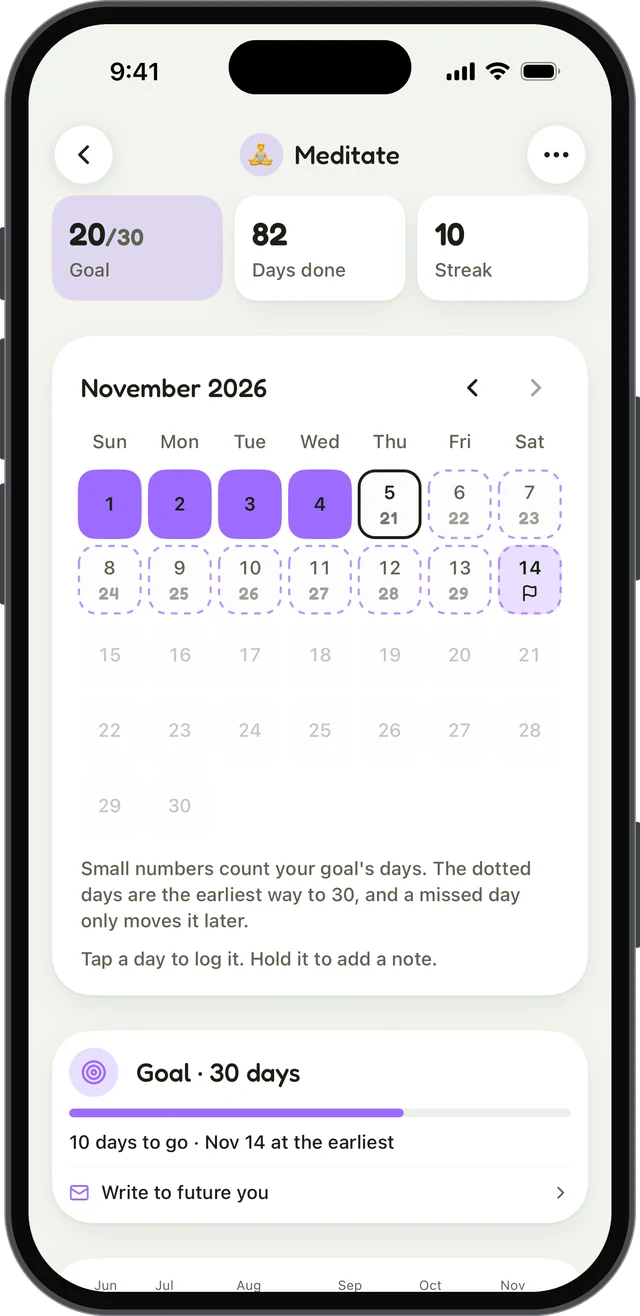
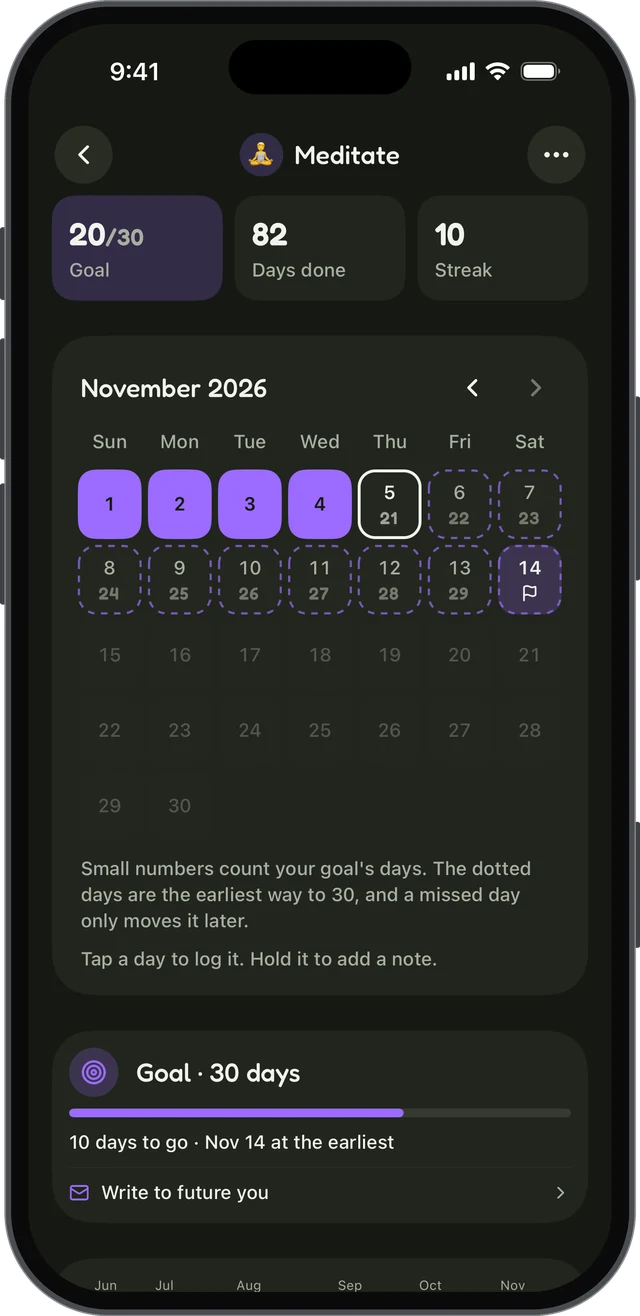
habitual gives each habit a name, an emoji and a colour, and you log it with a tap. A habit can be counted, timed with a timer, or something you’re quitting, and each one has its own page with a grid of the days you did it. You can add a note to any day, typed or spoken.
If you want Apple Health to log habits for you, Streaks is the one to choose. In habitual, you log each habit yourself.
Streaks vs goals: what happens when you miss a day
This is the biggest difference in how the two apps think.
In Streaks, as its own homepage puts it, “Miss a day and your streak goes back to zero.” Streaks does offer two ways to soften that. Vacation Mode pauses a task, or all tasks, and records those days as skipped so the streak survives. The optional 2-Day Rule, for tasks scheduled on specific weekdays, lets you miss one day without a reset, though missing the next day too resets it.
Streaks can be a strong motivator. In seven studies, Silverman and Barasch (2023) found that people did more of a behaviour when their log showed an intact streak than when it showed a broken one, even when their actual past behaviour was the same. The flip side is in the same finding: a broken streak, shown in the log, made people less likely to keep going. The effect was smaller when people could “repair” the broken streak.
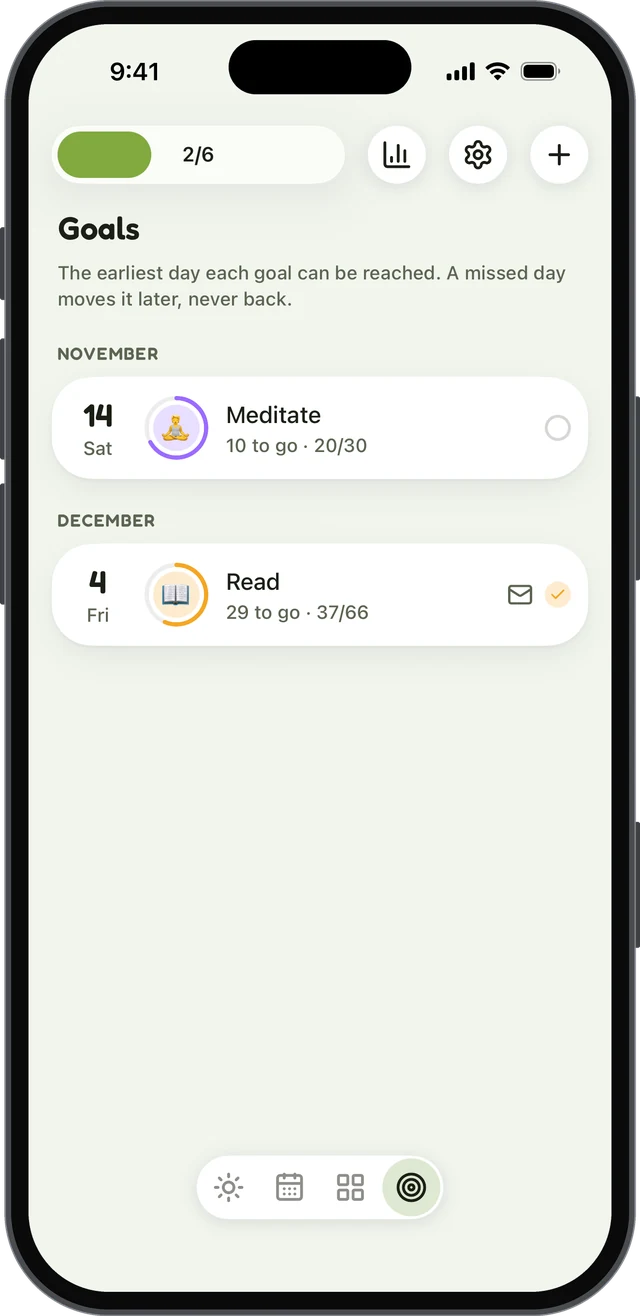
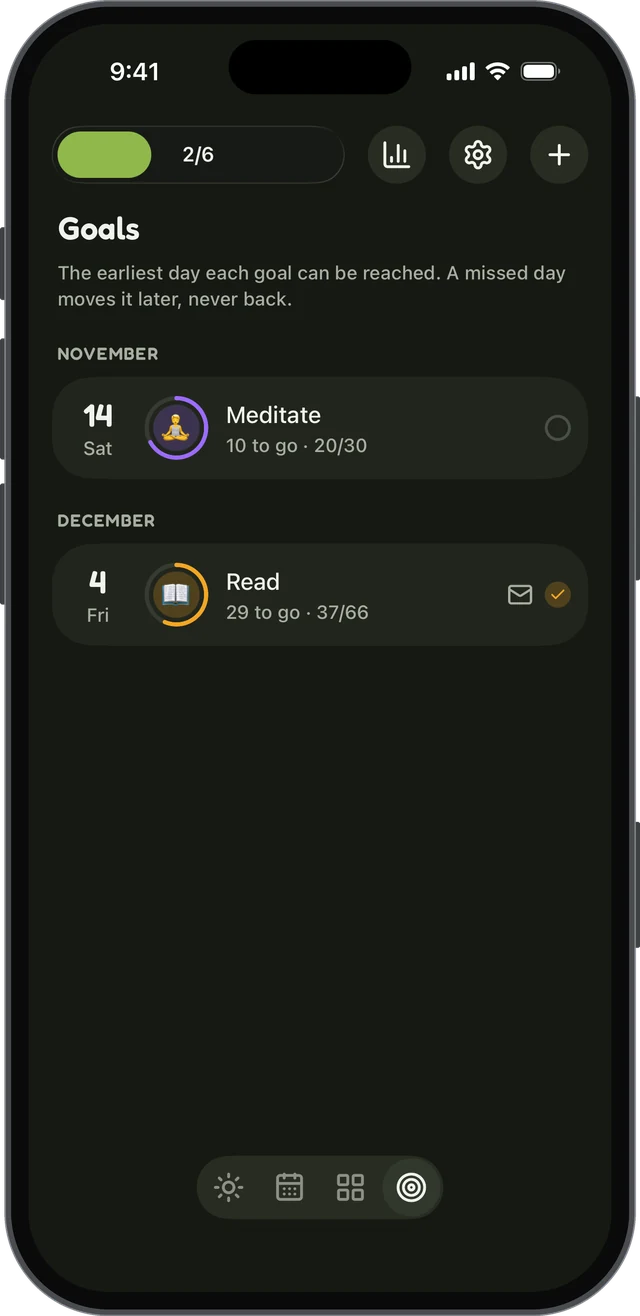
habitual takes a different approach. You pick a goal of a number of days, say 30 or 66, and can count days you’ve already done as a head start. A missed day never takes days back; it only pushes the finish line out, and the earliest finish date is always shown.
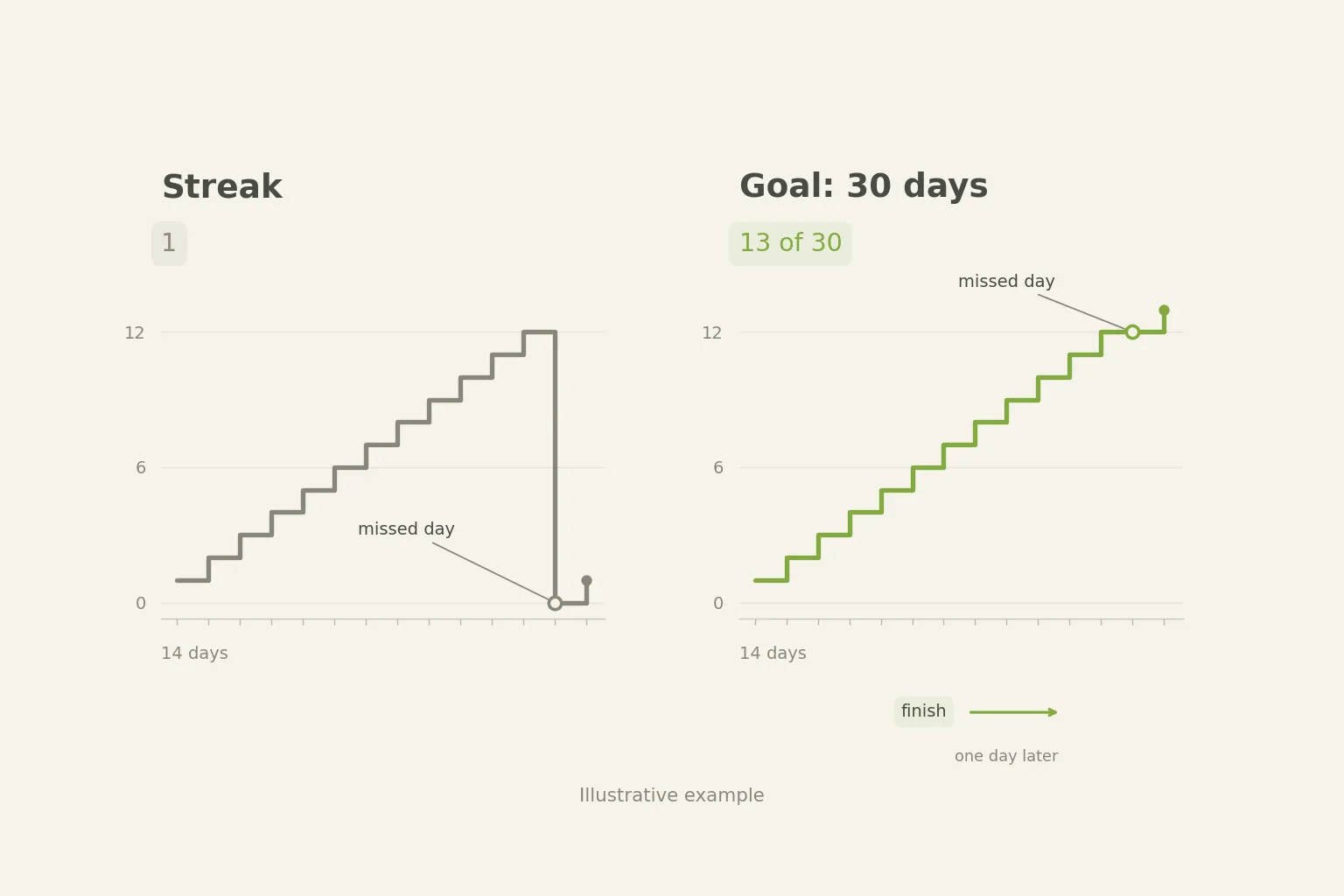
There’s good evidence that one missed day doesn’t undo a habit. In a study of 96 people building a daily habit over 12 weeks, Lally and colleagues (2010) found that missing one opportunity to do the behaviour did not materially affect how the habit formed. Our post on why a missed day doesn’t break your habit goes into this in more detail.
Goals, stats and tracking progress
Both apps help you see your progress, which matters. A meta-analysis of 138 studies with nearly 20,000 participants by Harkin and colleagues (2016) found that interventions that got people to monitor their progress helped them reach their goals, with a small-to-medium effect. The effect was larger when progress was physically recorded or reported.
Streaks includes statistics in the one purchase: current and best streaks, completion rates, and when in the day you tend to complete each task. It also has flexible scheduling, such as specific weekdays, a number of times a week or month, or every few days.
habitual includes goals for free, as described above. Stats come with Plus: days done over a week, month, 90 days or a year, current and longest streaks, time, and a monthly recap you can share. If you want streaks, they’re there, as one number among others rather than the thing the whole app is built around.
habitual also has something you won’t find on Streaks’ feature list: letters to your future self. While you work towards a goal, you write a letter, typed or spoken, with prompts if you want them. It stays sealed, even from you, until you reach the goal.
Platforms, widgets and extras
| Feature | Streaks | habitual |
|---|---|---|
| Phone | iPhone | iPhone and Android |
| Tablet, watch, computer | iPad, Apple Watch, Mac, Vision Pro | Phone apps only |
| Widgets | Home Screen and Lock Screen | Home-screen widget |
| Themes | Many colour themes and icons | 12 theme colours, light and dark, style options |
| Notes | A daily note per task | A note on any day, typed or spoken |
Streaks covers more Apple devices and has deeper Apple integration. habitual covers both phone platforms, and with Plus you can export and import your data between iPhone and Android, which helps if you ever switch phones.
Choosing a Streaks app alternative: a checklist
If you’d like to start on paper first, our free printable habit tracker works with any habit. And if you’re wondering how long a goal should be, how long it really takes to form a habit explains why 66 days is a better starting point than 21. If you’re also weighing up Habitify, our Habitify alternatives compares seven habit trackers, Streaks included. For more choices on Android, our list of the best habit tracker apps for Android checks eight of them.
If Android, a free start or a gentler way of handling missed days is what you’re after, habitual is a habit tracker that keeps everything on your phone and never takes your days back.
Sources
- Harkin, B., Webb, T. L., Chang, B. P. I., Prestwich, A., Conner, M., Kellar, I., Benn, Y., & Sheeran, P. (2016). Does monitoring goal progress promote goal attainment? A meta-analysis of the experimental evidence. Psychological Bulletin, 142(2), 198–229.
- Lally, P., van Jaarsveld, C. H. M., Potts, H. W. W., & Wardle, J. (2010). How are habits formed: Modelling habit formation in the real world. European Journal of Social Psychology, 40(6), 998–1009.
- Silverman, J., & Barasch, A. (2023). On or off track: How (broken) streaks affect consumer decisions. Journal of Consumer Research, 49(6), 1095–1117.
Questions
Is there a Streaks app for Android?
No. Streaks’ official site and App Store listing name only Apple devices: iPhone, iPad, Apple Watch, Mac and Apple Vision Pro. We found no Google Play listing from its developer, Crunchy Bagel. Some unrelated Android apps use “Streaks” in their names, so check the developer before you install one.
Is the Streaks app free?
No. Streaks is a one-time purchase on the App Store, with no subscription, no ads and no free version or trial mentioned on its official pages. If you want to try a habit tracker without paying first, habitual is free for up to 3 habits, with an optional Plus upgrade.
What happens if you miss a day in Streaks?
By default, missing a day resets that task’s streak to zero. Streaks has two ways to soften this: Vacation Mode, which pauses tasks so the days count as skipped, and an optional 2-Day Rule for tasks on specific weekdays, which lets you miss one day without losing the streak.
Is the Streaks app worth it?
If you use Apple devices and want Apple Health to tick off habits for you, it’s a polished, well-reviewed app with no subscription. If you use Android, want to try before paying, or find that losing a streak puts you off, an app built around count-up goals, such as habitual, may suit you better.
Does habitual need an account?
No. habitual has no account and no ads. Your habits, goals and notes stay on your phone and work offline. That also means there’s no sync between devices yet; accounts and sync are planned as optional features for later.
Keep reading
- Apps
Best Habit Tracker App for Android: 8 Options, Checked
The best habit tracker app for Android depends on what you need: free, no ads, no account, Wear OS or a game. Eight apps checked on their own pages. - Apps
Best Habitica Alternatives: 7 Habit Trackers, Checked
The best Habitica alternatives, whether you want to keep the game or drop it: seven habit trackers checked for platforms, pricing and accounts. - Apps
Loop Habit Tracker for iPhone? How habitual Compares
Is there a Loop Habit Tracker for iPhone? Not officially. Here’s what Loop does well, and how habitual compares on iPhone and Android.