
Apps
Best Habit Tracker App for Android: 8 Options, Checked
The best habit tracker app for Android depends on what you need: free, no ads, no account, Wear OS or a game. Eight apps checked on their own pages.

The best habit tracker app for Android depends on what you want from it. For a free, ad-free tracker that keeps everything on your phone, Loop Habit Tracker is the long-standing favourite. For habits mixed with a to-do list, HabitNow and TickTick do more. For a game, there’s Habitica. And if you want goals, privacy and an app that also works on iPhone, habitual is worth a look.
Below are eight habit trackers for Android, checked on 14 November 2026 against their own websites, Google Play listings and privacy policies, with what each one does best and where it falls short.
Android habit tracker apps at a glance
| App | Best for | Pricing model | Ads on Google Play | Account needed? | Also on iPhone? |
|---|---|---|---|---|---|
| habitual | Privacy, goals that count up, Android and iPhone | Free, with an optional Plus upgrade | No | No | Yes |
| Loop Habit Tracker | Free, open source and simple | Free | No | No | No |
| HabitNow | Habits, to-dos and timers in one app | Free, with a one-time premium upgrade | No | Optional | No official app |
| Table Habit | Free and open source on every device | Free | No | No | Yes |
| Habitica | Turning habits into a game | Free, with in-app purchases and a subscription | Yes | Not stated; data on its servers | Yes |
| TickTick | Habits inside a full to-do app | Free, with a Premium subscription | No | Not stated; syncs to its cloud | Yes |
| Habitify | Wear OS, Google Fit and many devices | Free, with a subscription or lifetime upgrade | No | No, but data is stored in its cloud | Yes |
| Finch | Gentle self-care with a virtual pet | Free, with an optional subscription | No | Optional | Yes |
Prices and features checked on 14 November 2026. “Ads on Google Play” means the app’s listing carries Google’s “Contains ads” label. “Not stated” means we couldn’t find a clear answer on the app’s own pages.
How we chose
We started with the apps that appear most often in searches for Android habit trackers and in the current top results, and kept those that are built for tracking habits, are available on Google Play and were updated in the last year or so. For each one we read its official website, its Google Play listing and, where there is one, its App Store listing and privacy policy, on 14 November 2026. We recorded its pricing model, free-plan limits, Google Play labels, whether it needs an account, where it keeps your data, and the Android features people ask about: widgets, Wear OS, backup and quitting habits.
Anything we couldn’t confirm on an official page is left out or marked as not stated. This is research, not hands-on testing of every feature. habitual is our app; we’ve tried to place it honestly, and several apps below are better choices for particular needs.
What to look for in an Android habit tracker
A few things matter more on Android than the feature lists suggest.
Logging is the part that matters most. In a meta-analysis of 138 studies, Benjamin Harkin and colleagues found that monitoring your progress helped people reach their goals, more so when the progress was physically recorded. The best tracker is the one you’ll actually open every day.
The 8 best habit tracker apps for Android
1. habitual: best for privacy and goals that count up
habitual is a private habit tracker for Android and iPhone. There’s no account and no ads. Your habits, goals, notes and reminders live only on your phone, and it works offline.
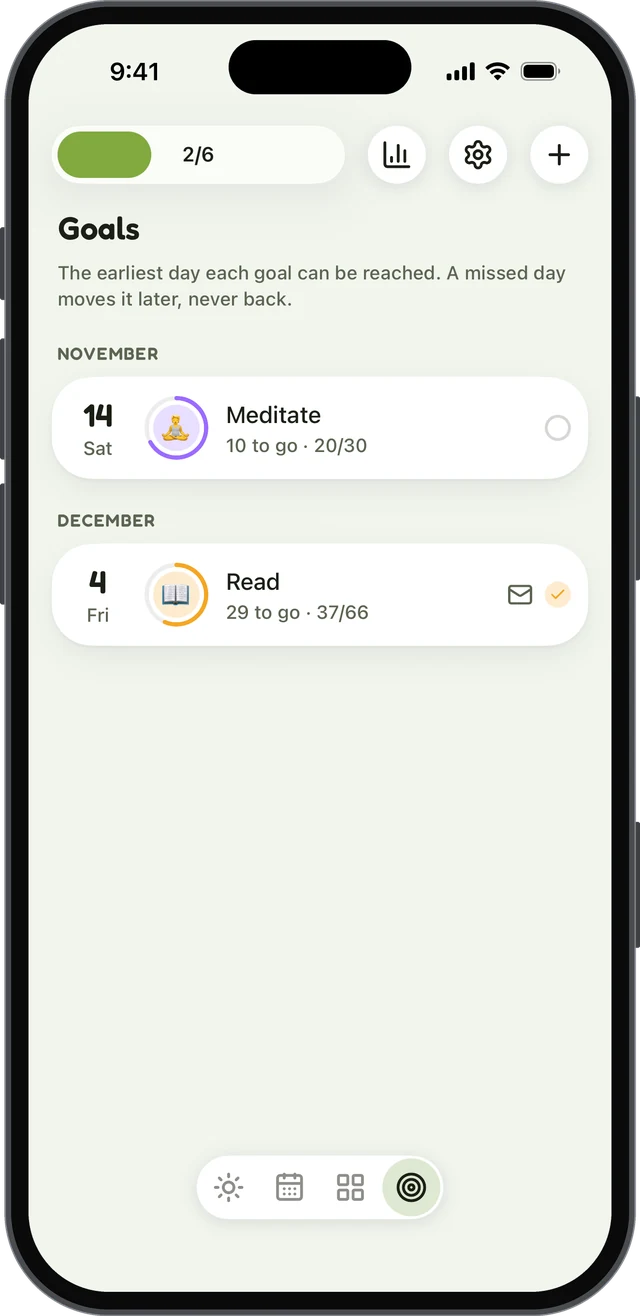
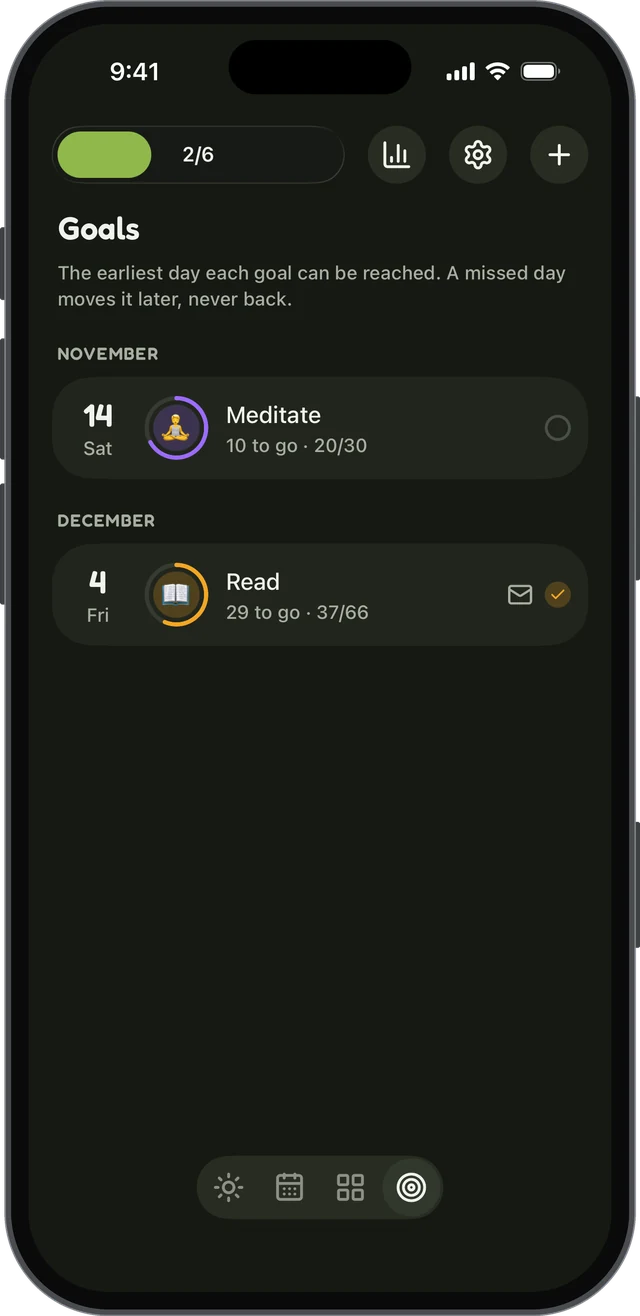
What it does well. A habit can be counted, timed with a built-in timer, or something you’re quitting, and you log it with a tap. Each habit gets its own page and a grid of the days you did it. Goals only count up: pick a number of days, like 30 or 66, count days you’ve already done as a head start, and a missed day never takes days back; it only moves the finish line. You can write letters to your future self that stay sealed until you reach a goal. There’s a home-screen widget, a weekly view, reminders and check-ins for habits you’re quitting.
Drawbacks. The free version has up to 3 active habits, though it doesn’t run out. Stats, more habits, and export and import (including between Android and iPhone) are in Plus. There’s no sync between devices yet, and no web or desktop app.
Platforms: Android, iPhone
Pricing: free, with an optional Plus upgrade (yearly with a 7-day free trial, monthly, or lifetime)
Account: not needed
2. Loop Habit Tracker: best free and open source option
Loop Habit Tracker is the app most Android users get recommended first, and for good reason. It’s completely free, open source and ad-free, and its Google Play listing carries neither the ads nor the in-app purchases label.
What it does well. Instead of a streak that resets, each habit gets a strength score that rises and falls with how consistent you are, so a missed day doesn’t wipe out your progress. It handles flexible schedules, such as three times a week, and has detailed charts, reminders you can tick from the notification, and several home-screen widgets. It doesn’t need an internet connection or an account; its privacy policy says your data is stored only on your device. You can export to CSV or SQLite.
Drawbacks. It’s Android only; its own FAQ says there’s no iPhone version and warns about copycat apps. It tracks only positive habits, so to quit something you have to reword it, such as “smoke-free days”. Its FAQ also notes that uninstalling the app deletes your data, so export a backup before changing phones. Updates are infrequent: its last Google Play update was in September 2025.
Platforms: Android (Google Play and F-Droid)
Pricing: free
Account: not needed
3. HabitNow: best for habits, to-dos and timers together
HabitNow combines a habit tracker with a to-do list and a calendar, so your daily habits and one-off tasks sit in the same place.
What it does well. It has reminders and alarms, stopwatch, countdown and interval timers, streaks, charts and statistics, themes, widgets and an app lock. Its privacy information says that for free users your data is stored only on your device, and signing in with a Google account is optional. Its paid upgrade is a one-time purchase, not a subscription, and its Google Play listing has no ads label.
Drawbacks. It’s Android only. An App Store app with a similar name comes from a different developer, so don’t mistake it for the same app. Cloud backups are part of the premium upgrade. We couldn’t find an official statement of what the free version limits, so check in the app before you commit.
Platforms: Android
Pricing: free, with a one-time premium upgrade
Account: optional
4. Table Habit: best free option that also runs on other devices
Table Habit is a newer open source tracker that’s free, with no ads and no in-app purchases. Its project page says it needs no account, collects no telemetry and works offline first.
What it does well. It can track habits you want to do more of and ones you want to do less of, with a scoring system and growth curves. It exports and imports JSON and can import from Loop Habit Tracker, which makes switching easy. If you want sync, you can turn on WebDAV sync to a service such as Nextcloud; it’s off by default. It runs on Android, iPhone, iPad, Mac, Windows and Linux, and follows Android’s Material You colours.
Drawbacks. It’s a one-person project with a small user base: Google Play showed 1,000+ downloads when we checked. Sync needs a WebDAV server of your own. We couldn’t confirm Android home-screen widgets.
Platforms: Android, iPhone, iPad, Mac, Windows, Linux
Pricing: free
Account: not needed
5. Habitica: best if a game keeps you going
Habitica turns your habits, daily tasks and to-dos into a role-playing game, with an avatar, gold, experience, pets, parties of friends and challenges.
What it does well. It’s open source and free to enjoy fully, with optional purchases. Habits can be positive, negative or both, so it handles quitting as well as building. It has widgets, reminders and a Wear OS app where you can view, create and complete habits, and it runs on the web and iPhone too, syncing between them.
Drawbacks. Its Google Play listing carries the “Contains ads” label. Its own FAQ says it doesn’t show your task data over time, so there are no real charts, and you can only export your data from the website. Missed dailies cost your character health, which some people find motivating and others find stressful. Your data is stored on its servers.
Platforms: Android, Wear OS, iPhone, iPad, web
Pricing: free, with in-app purchases and an optional subscription
Account: not clearly stated; data is stored on its servers
6. TickTick: best for habits inside a full to-do app
TickTick is a to-do list and calendar app with a habit tracker you switch on in its tab bar. If you want one app for tasks and habits on every device, it’s the most complete here.
What it does well. It runs on Android, Wear OS, iPhone, Apple Watch, the web, Windows, Mac and Linux, with sync between them. It has a Pomodoro timer, calendar integrations and smart date entry, and its Google Play listing has no ads label.
Drawbacks. Its pricing page lists 5 habits on the free plan (Premium raises the limit to 299), and widgets and statistics are basic on the free plan. Habits are one part of a big app, so it can feel busy if habits are all you want. Its privacy policy describes keeping your data until you delete your account.
Platforms: Android, Wear OS, iPhone, iPad, Apple Watch, web, Windows, Mac, Linux
Pricing: free, with a Premium subscription
Account: not clearly stated; it syncs to its cloud
7. Habitify: best for Wear OS and Google Fit
Habitify is a polished habit tracker that runs on almost everything, with one of the better Wear OS apps, including tiles and complications.
What it does well. It syncs with Google Fit and Strava, has time- and location-based reminders, a focus timer, mood and notes, charts and challenges with friends. For breaking habits, it has a screen-time blocker. It also offers integrations with other tools for people who like to automate.
Drawbacks. Its pricing page lists 3 habits on the free plan. You can use it without creating an account, but its privacy policy says that doesn’t mean your data stays on your device: it’s stored in its cloud either way.
Platforms: Android, Wear OS, iPhone, iPad, Apple Watch, Mac, Windows, web
Pricing: free, with a subscription or lifetime upgrade
Account: not needed, but your data is stored in its cloud
8. Finch: best for gentle self-care
Finch is a self-care app built around a virtual pet that grows as you complete your goals. It’s less a habit tracker than a kind daily companion.
What it does well. Alongside goals, it has a mood journal and tracker, guided breathing and short mental-health quizzes, and you can send friends “good vibes”. Its core self-care features are free, and it’s one of the highest-rated apps in this list on Google Play.
Drawbacks. It doesn’t have the habit statistics of a dedicated tracker like Loop, and there’s no watch app. Without an account, your data stays on your device, which means you’ll want an account or a manual backup before you change phones.
Platforms: Android, iPhone, iPad
Pricing: free, with an optional Finch Plus subscription
Account: optional
Which Android habit tracker should you choose?
If you’d rather not pay a subscription, our guide to the best habit tracker without a subscription goes into pricing in more detail. For what makes a tracker private, see what to look for in a private habit tracker. If you’ve come from an iPhone and miss Streaks, our Streaks alternative for Android compares the two, and our wider list of the best habit tracker apps covers iPhone too.
Sources
- Harkin, B., Webb, T. L., Chang, B. P. I., Prestwich, A., Conner, M., Kellar, I., Benn, Y., & Sheeran, P. (2016). Does monitoring goal progress promote goal attainment? A meta-analysis of the experimental evidence. Psychological Bulletin, 142(2), 198–229.
Questions
What is the best free habit tracker for Android?
Loop Habit Tracker and Table Habit are both completely free and open source, with no ads and no in-app purchases. Loop is the more established of the two, with a habit-strength score and home-screen widgets. Table Habit also runs on iPhone and computers and can track habits you want to do less of.
Is there a habit tracker for Android with no ads?
Yes. On Google Play, Loop Habit Tracker and Table Habit carry neither the “Contains ads” nor the “In-app purchases” label. HabitNow, TickTick, Habitify and Finch show in-app purchases but no ads label, and habitual has no ads. Habitica is the only app in this list labelled “Contains ads”.
Which Android habit trackers work without an account?
Loop Habit Tracker, Table Habit and habitual don’t need an account and keep your habits on your phone. HabitNow and Finch let you skip signing in too. Habitify can be used without registering, but its privacy policy says it still stores your data in its cloud.
Is there a habit tracker with a Wear OS app?
Of the apps we checked, Habitica, TickTick and Habitify list Wear OS support on Google Play. Habitify’s watch app has tiles and complications, and Habitica’s lets you view, create and complete habits from your wrist.
Keep reading
- Apps
Best Habitica Alternatives: 7 Habit Trackers, Checked
The best Habitica alternatives, whether you want to keep the game or drop it: seven habit trackers checked for platforms, pricing and accounts. - Apps
Loop Habit Tracker for iPhone? How habitual Compares
Is there a Loop Habit Tracker for iPhone? Not officially. Here’s what Loop does well, and how habitual compares on iPhone and Android. - Apps
The Best Habit Tracker Apps, Compared Honestly
The best habit tracker app depends on your phone, your budget and your privacy. Seven popular apps compared on price, platforms, accounts and features.