

Apps
The Best Habit Tracker Apps, Compared Honestly
The best habit tracker app depends on your phone, your budget and your privacy. Seven popular apps compared on price, platforms, accounts and features.
There’s no single best habit tracker app. There’s the best one for you, and it comes down to three questions: which phone you have, whether you’d rather pay once, subscribe or pay nothing, and how much of your daily life you’re happy to keep on someone else’s server.
We compared seven popular habit trackers on exactly those questions, using each app’s own website and its App Store and Google Play listings. One thing to know up front: habitual is our app. We’ve included it where we think it honestly fits, and we say plainly where another app does something better.
The best habit tracker apps at a glance
| App | Best for | Platforms | Free version | Where your habits live |
|---|---|---|---|---|
| habitual | Privacy on iPhone and Android | iPhone, Android | Up to 3 habits, no time limit | Only on your phone, no account |
| Streaks | Apple Health and Apple Watch | iPhone, iPad, Apple Watch, Mac | None (one-time purchase) | Your own iCloud, no account |
| Loop Habit Tracker | Free and open source on Android | Android | Everything is free | Only on your phone, no account |
| Habitify | Integrations, on every device | iPhone, Android, web and more | Up to 3 habits | Synced across your devices |
| Habitica | Turning habits into a game | iPhone, Android, web | Free, optional subscription | A Habitica account |
| TickTick | Habits next to your to-do list | Almost every platform | Up to 5 habits | Synced across your devices |
| Way of Life | Quick yes-or-no tracking with trends | iPhone, Android, Mac | Free, with a Premium upgrade | On your phone, optional backup |
Prices and features checked on 7 November 2026. Apps change, so check the store listing before you buy.
How we chose
We started from the apps that come up again and again in app stores, reviews and forums, and kept the ones that are actively maintained. Then we compared them on what matters day to day:
- Logging: how fast it is to mark a habit done.
- The free version: whether it’s useful on its own or just a trial.
- Privacy: whether you need an account, and where your habits are stored.
- Platforms: whether it works on the phone you have, and the next one.
We haven’t listed star ratings: they change every week and say little about whether an app suits you.
1. habitual: best for privacy on iPhone and Android
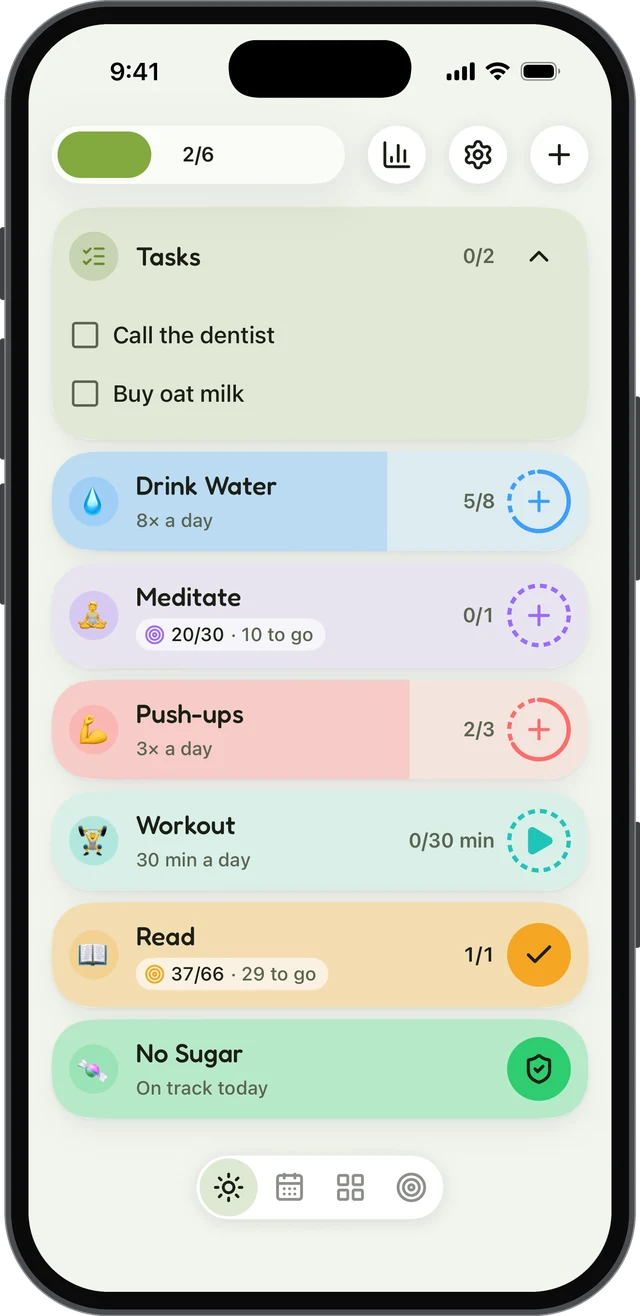
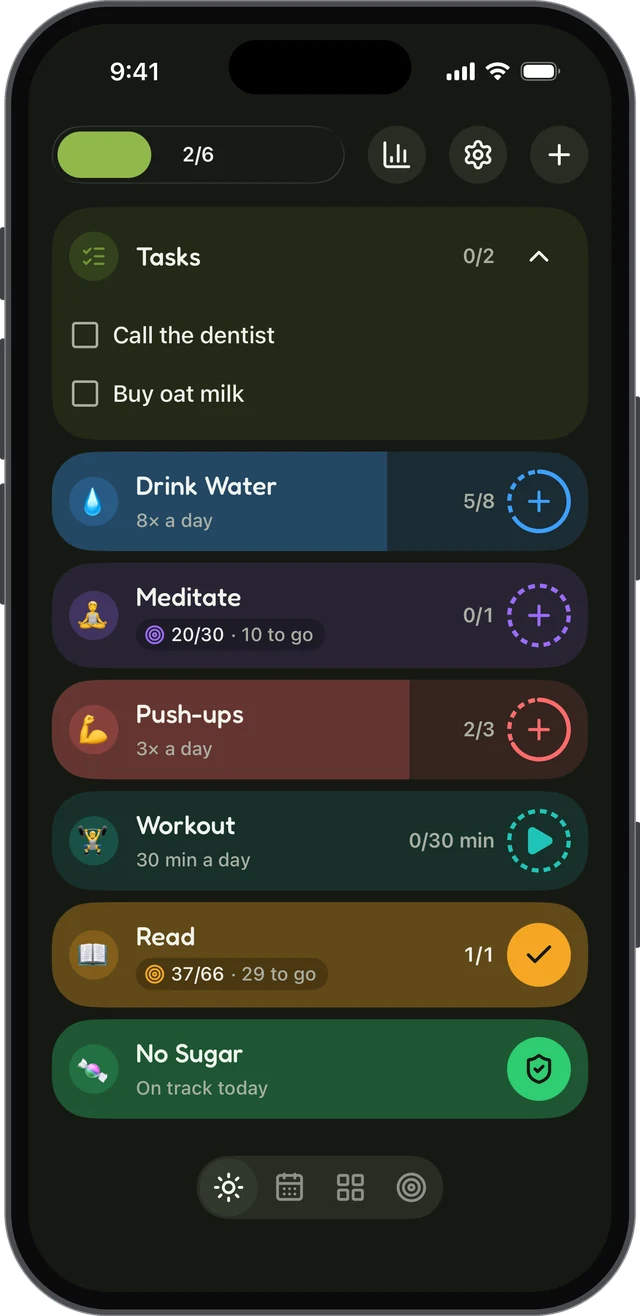
habitual is a habit tracker that keeps everything on your phone. There’s no account to make and no ads, and your habits, goals, notes and letters never leave your device. It works offline, and it’s on both iPhone and Android.
What it does well
- Logging in a tap. A habit can be counted, timed with a built-in timer, or something you’re quitting.
- Goals that only count up. Pick a number of days, like 30 or 66, and count the days you’ve already done as a head start. A missed day never takes any back; it only pushes the finish line out a little.
- Letters to your future self. Write a letter while you work toward a goal. It stays sealed, even from you, until the day you reach it.
- A fair free version. Up to 3 active habits, with logging, goals, letters, reminders and the widget, and it doesn’t run out.
Drawbacks: there’s no sync between devices yet (it’s planned, and optional), so if you want your habits on a phone, a tablet and a laptop at once, Habitify or TickTick suits you better today. There are no points, levels or avatars either: if a game is what keeps you going, look at Habitica.
Price: free, with an optional Plus upgrade for more than 3 habits, stats, more styles and widgets, and export and import (between iPhone and Android too). Plus is yearly with a 7-day free trial, monthly, or lifetime.
2. Streaks: best for iPhone and Apple Watch
Streaks is a polished, Apple-only habit tracker and a winner of an Apple Design Award. Its standout feature is Apple Health: it can complete habits for you from more than 80 kinds of health data, so a walk or a workout ticks itself off.
What it does well: a full Apple Watch app, widgets, Siri and Shortcuts; habits you want to stop as well as start; flexible schedules like “three times a week”; and no sign-up, no ads and no tracking. Your data syncs through your own iCloud.
Drawbacks: it’s only on Apple devices, so it’s out if you might switch to Android. There’s no free version, and it holds up to 24 habits.
Price: a one-time purchase, with no subscription.
3. Loop Habit Tracker: best free tracker for Android
Loop Habit Tracker is free and open source, with no ads and no in-app purchases. It needs no account and no internet connection, and its listing says your data never leaves your phone.
What it does well: instead of a fragile streak, it gives each habit a habit score that measures its strength, so one missed day doesn’t wipe out weeks of work. It has detailed charts, flexible schedules (“every other day”), home-screen widgets, reminders you can act on, and export to CSV.
Drawbacks: it’s only on Android, and the design is plain and practical rather than pretty. There’s no sync between devices.
Price: completely free.
4. Habitify: best for integrations across every device
Habitify runs almost everywhere: iPhone, iPad, Mac, Apple Watch, Android, Wear OS and the web, with your habits synced between them.
What it does well: a built-in timer, notes and mood tracking; habit stacking; reminders by time or by location; and integrations with Apple Health, Google Fit, Fitbit, Strava and Screen Time. With Premium, there’s an API and automation through Zapier and IFTTT.
Drawbacks: the free version is limited to 3 habits, and most of the integrations are part of Premium. Because it syncs across devices, your habits are stored with Habitify’s service rather than only on your phone.
Price: free for up to 3 habits; Premium is a subscription or a one-time lifetime purchase.
5. Habitica: best if you like games
Habitica turns your habits into a role-playing game. You have an avatar that earns gold, experience, gear and pets when you complete habits, daily tasks and to-dos.
What it does well: it’s genuinely motivating if games motivate you. You can join a party with friends and take on challenges together, which adds real accountability. It’s open source, and it covers habits, recurring dailies and to-dos in one place.
Drawbacks: you need an account, and your data lives on Habitica’s servers. The Android app contains ads. If you don’t enjoy games, the swords and potions can feel like noise between you and your habits.
Price: free, with an optional subscription and in-app gems.
6. TickTick: best for habits and tasks together
TickTick is a to-do list app first, with a habit tracker built in. If you already plan your day in TickTick, keeping your habits there means one app instead of two.
What it does well: habits sit next to your tasks, your calendar and a Pomodoro focus timer. It has a library of habits to start from, flexible goals and statistics, and it syncs across iPhone, Android, Apple Watch, Windows, Mac, Linux and the web.
Drawbacks: habits are a feature, not the focus, and the Habit tab has to be switched on. The free version allows up to 5 habits.
Price: free, with a Premium subscription.
7. Way of Life: best for simple yes-or-no tracking
Way of Life keeps tracking as simple as it gets: each day, mark a habit green for yes or red for no, and watch the chains grow.
What it does well: fast check-ins, tracking of bad habits as well as good ones, charts with trend lines over weeks, months and years, and notes for recording what triggered a slip. It can lock with a passcode or Face ID, and it exports to CSV, Excel or JSON.
Drawbacks: there’s no sync between devices. Backups go to a cloud storage service you choose, which is free on iPhone but part of Premium on Android.
Price: free, with a Premium upgrade for unlimited items.
How to choose your habit tracker
If you’re still deciding, these questions narrow it down fast:
Whatever you choose, start small. Pick one to three habits, not ten. Our list of 60 habits to track has ideas and a way to pick your first three.
Do habit tracker apps actually work?
The app won’t do the habit for you, but tracking itself helps. A meta-analysis of 138 studies by Benjamin Harkin and colleagues found that monitoring your progress towards a goal makes you more likely to reach it, and that the effect was stronger when people physically recorded their progress or shared it with others.
What matters more than features is that you open the app every day. That’s why the fastest logging usually wins: if marking a habit done takes three taps and a loading screen, you’ll stop. It also helps to know how to build a habit in the first place, and what to do after a missed day, because every tracker eventually shows a gap.
And if you’d rather not use an app at all, a sheet of paper works too: our free printable habit tracker is ready to print or fill in on screen.
Sources
- Harkin, B., Webb, T. L., Chang, B. P. I., Prestwich, A., Conner, M., Kellar, I., Benn, Y., & Sheeran, P. (2016). Does monitoring goal progress promote goal attainment? A meta-analysis of the experimental evidence. Psychological Bulletin, 142(2), 198–229.
Questions
What is the best habit tracker app?
It depends on your phone and what you want from it. Streaks is a strong choice for iPhone and Apple Watch, Loop Habit Tracker is a free and open-source pick for Android, Habitica suits people who like games, and habitual suits people who want their habits to stay private on either platform.
Is there a completely free habit tracker app?
Loop Habit Tracker is completely free and open source, with no ads or in-app purchases, but it’s only on Android. Several others have a free version that doesn’t run out: habitual and Habitify allow up to 3 habits, and TickTick allows up to 5.
Which habit tracker apps don’t need an account?
Streaks, Loop Habit Tracker and habitual all work without signing up. Streaks keeps your data in your own iCloud, while Loop and habitual keep it only on your phone.
Do habit tracker apps actually work?
Tracking helps. A meta-analysis of 138 studies found that monitoring your progress towards a goal makes you more likely to reach it, especially when you physically record it. An app is one convenient way to do that; the best one is the one you’ll actually open every day.
Which habit tracker works on both iPhone and Android?
habitual, Habitify, Habitica, TickTick and Way of Life are all on both. Streaks is only on Apple devices, and Loop Habit Tracker is only on Android.
Keep reading
- Apps
Best Habit Tracker App for Android: 8 Options, Checked
The best habit tracker app for Android depends on what you need: free, no ads, no account, Wear OS or a game. Eight apps checked on their own pages. - Apps
Best Habitica Alternatives: 7 Habit Trackers, Checked
The best Habitica alternatives, whether you want to keep the game or drop it: seven habit trackers checked for platforms, pricing and accounts. - Apps
Loop Habit Tracker for iPhone? How habitual Compares
Is there a Loop Habit Tracker for iPhone? Not officially. Here’s what Loop does well, and how habitual compares on iPhone and Android.